Stop BFCM Chaos: Master Peak-Season Local Deliveries
To master BFCM deliveries, set slot limits and cutoffs weeks ahead, onboard drivers early…
Insights
To handle Mother’s Day on Shopify, set daily and per-slot limits your team can meet, open delivery dates and pickup windows early, tighten zones and cutoffs for the weekend, and keep customers updated until the order arrives.
To manage Mother’s Day deliveries on Shopify, set daily and per-slot order limits your team can actually meet, open delivery dates and pickup windows weeks in advance, tighten delivery zones and cutoffs for the busiest days, and keep customers updated until each order arrives. The stores that handle the rush well aren’t the ones working hardest. They are the ones whose systems were ready before the orders came in.
In the United States, Mother’s Day 2027 falls on Sunday, May 9. This guide covers what to set up, and when.
Mother’s Day is one of the biggest gifting moments of the year. In a survey with Prosper Insights & Analytics released on April 21, 2026, the National Retail Federation expected 2026 Mother’s Day spending to reach a record $38 billion, and found that flowers remain the most popular gift category, with 75% of shoppers planning to buy them.
For local Shopify businesses, that volume arrives in a few days. Florists take pre-orders days in advance. Bakeries balance custom cakes with same-day pickups. Gift stores juggle local deliveries with customers trying to time a surprise.
From the outside, it looks like a spike in orders. Behind the scenes, it is a scheduling problem, and it starts at checkout:
On Mother’s Day weekend, you’re not just managing orders. You’re managing delivery schedules, customer expectations, prep timelines and routes all at once.
One of the biggest mistakes Shopify stores make on Mother’s Day is accepting more orders than the team can realistically fulfill.
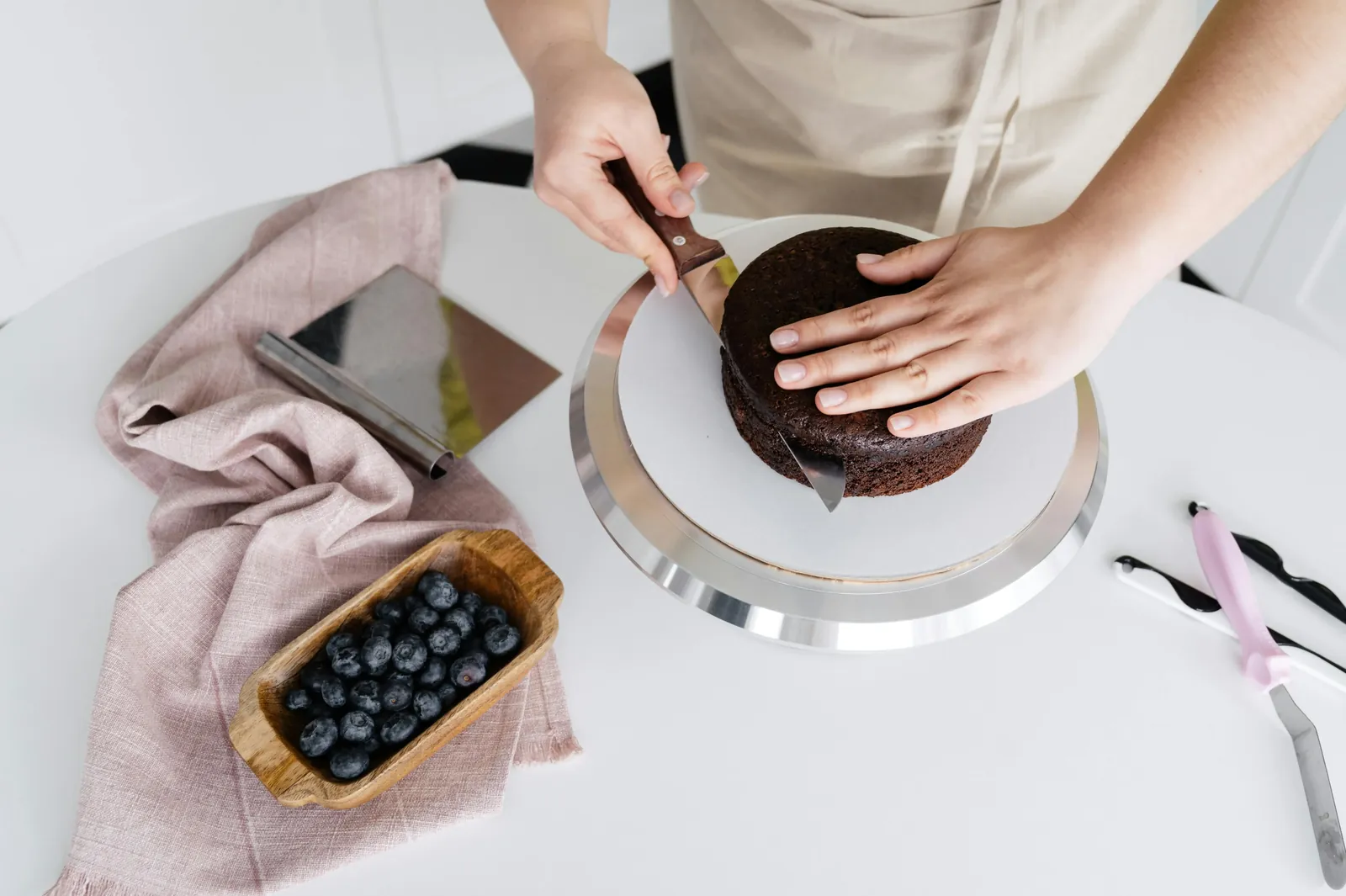
A bakery may technically receive 150 orders, but that doesn’t mean the kitchen can prepare 150 custom cakes in a single day. A florist may keep taking local delivery orders long after the drivers are full. What starts as a strong sales day becomes late deliveries, an exhausted team and frustrated customers.
Work out your real limits before the rush:
Then put those numbers into your scheduling tool. In ScrollEngine, you set a daily and per-slot limit for each location. As orders book, you see how much capacity each day and slot has left.
Mother’s Day customers care deeply about timing. A bouquet arriving late can ruin a surprise; a delayed cake pickup can hold up a whole celebration.
Let customers choose their delivery date, delivery window or pickup slot on your storefront, so orders land in manageable blocks instead of one backlog:
Check remaining capacity daily in the run-up, so you can add a driver or a window while there is still time. Delivery and pickup slots each have their own limits, so a full delivery day doesn’t close the pickup counter. For how to size windows and cutoffs, read how smarter delivery scheduling helps local stores.
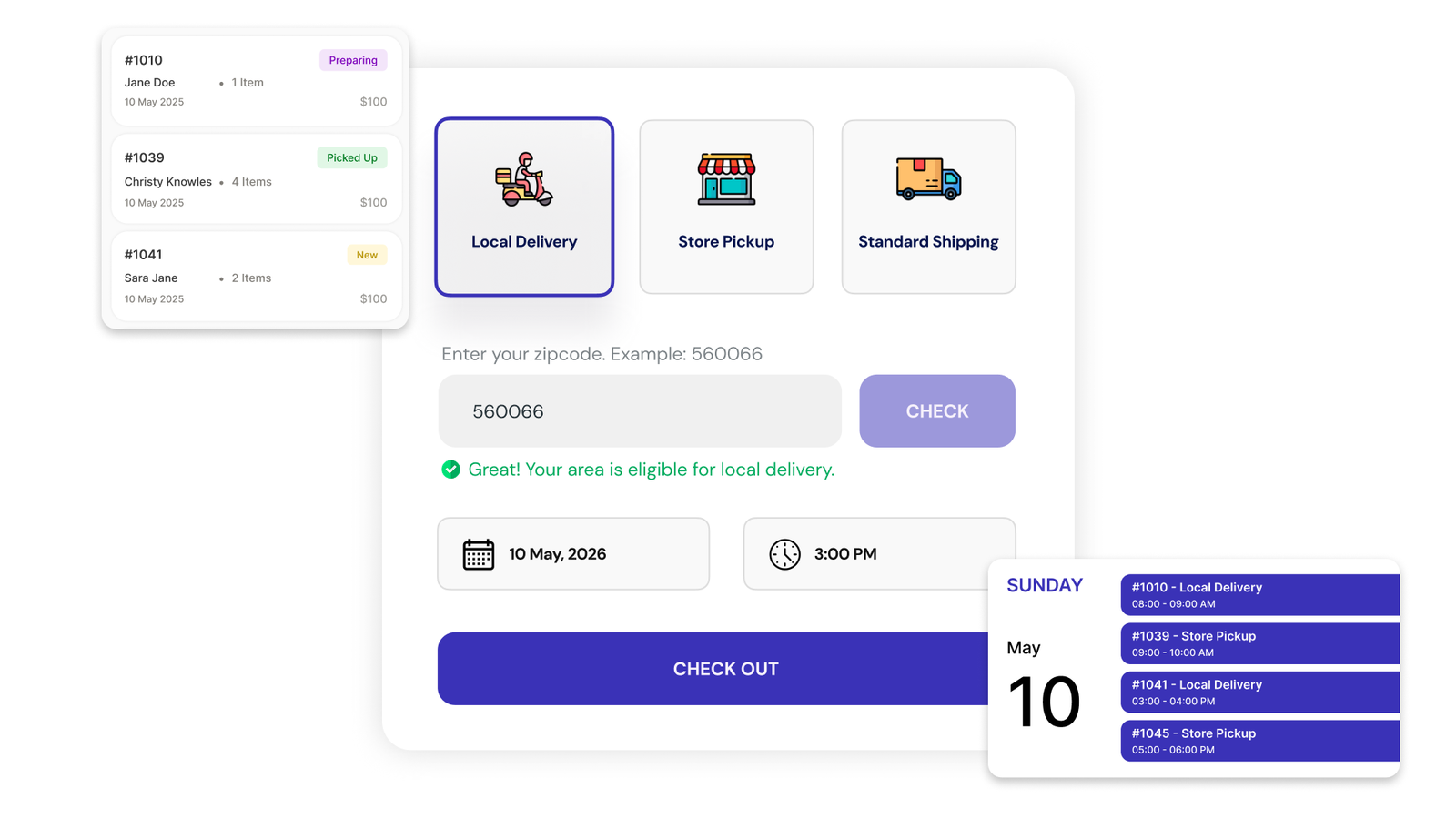
During a busy gifting weekend, uncertainty turns into support calls. Customers want to know, before they pay, whether you deliver to their area, which dates are still open, whether same-day delivery is possible and what pickup options exist.
The earlier this appears, the smoother the weekend:
If customers can collect from several stores, a store finder helps them choose the nearest one. ScrollEngine also offers a separate Store Locator app for multi-location store discovery.
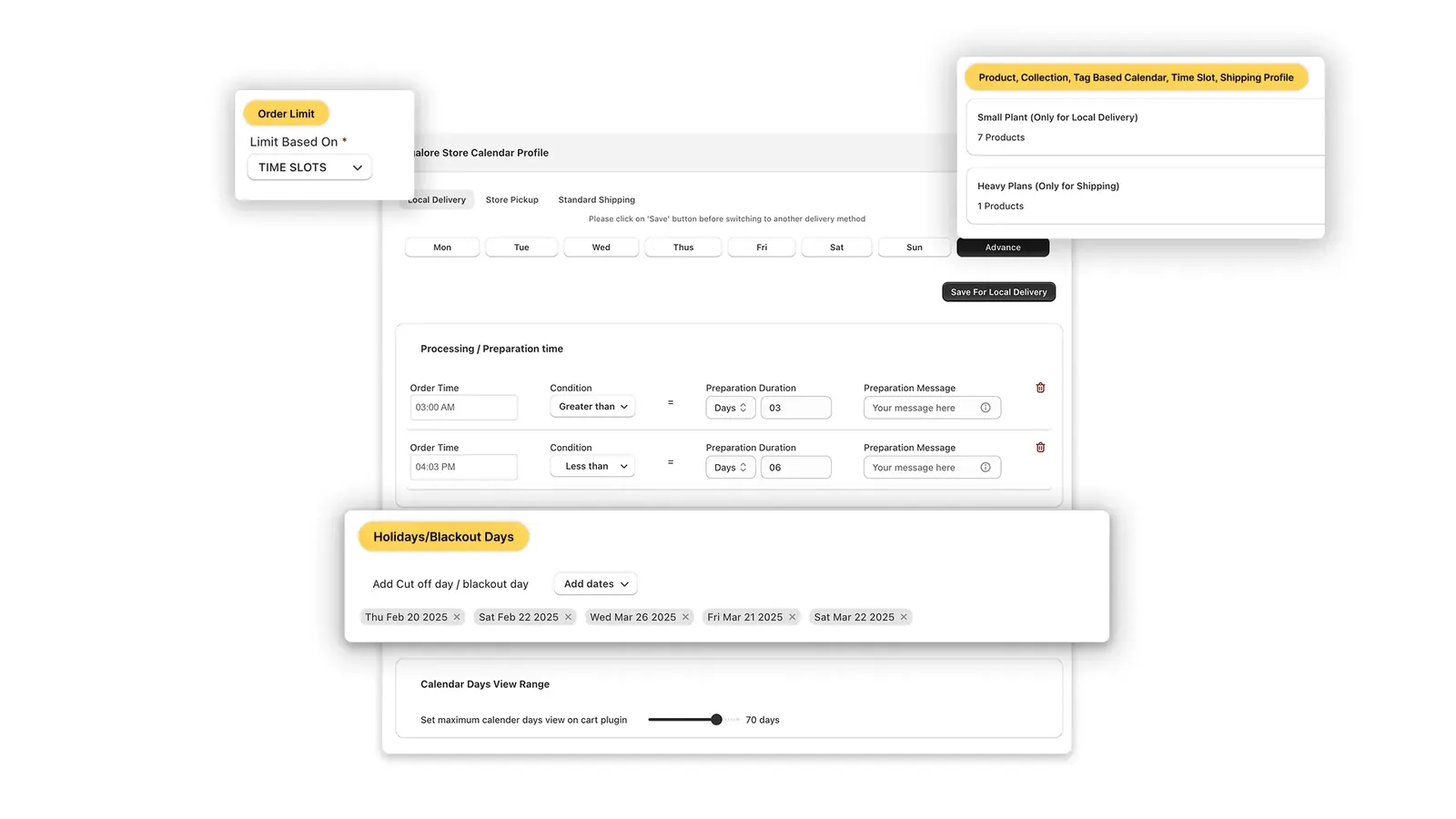
Mother’s Day is often when businesses realize their delivery radius is too large. A nearby delivery may take fifteen minutes; a cross-town delivery in weekend traffic can delay every stop after it.
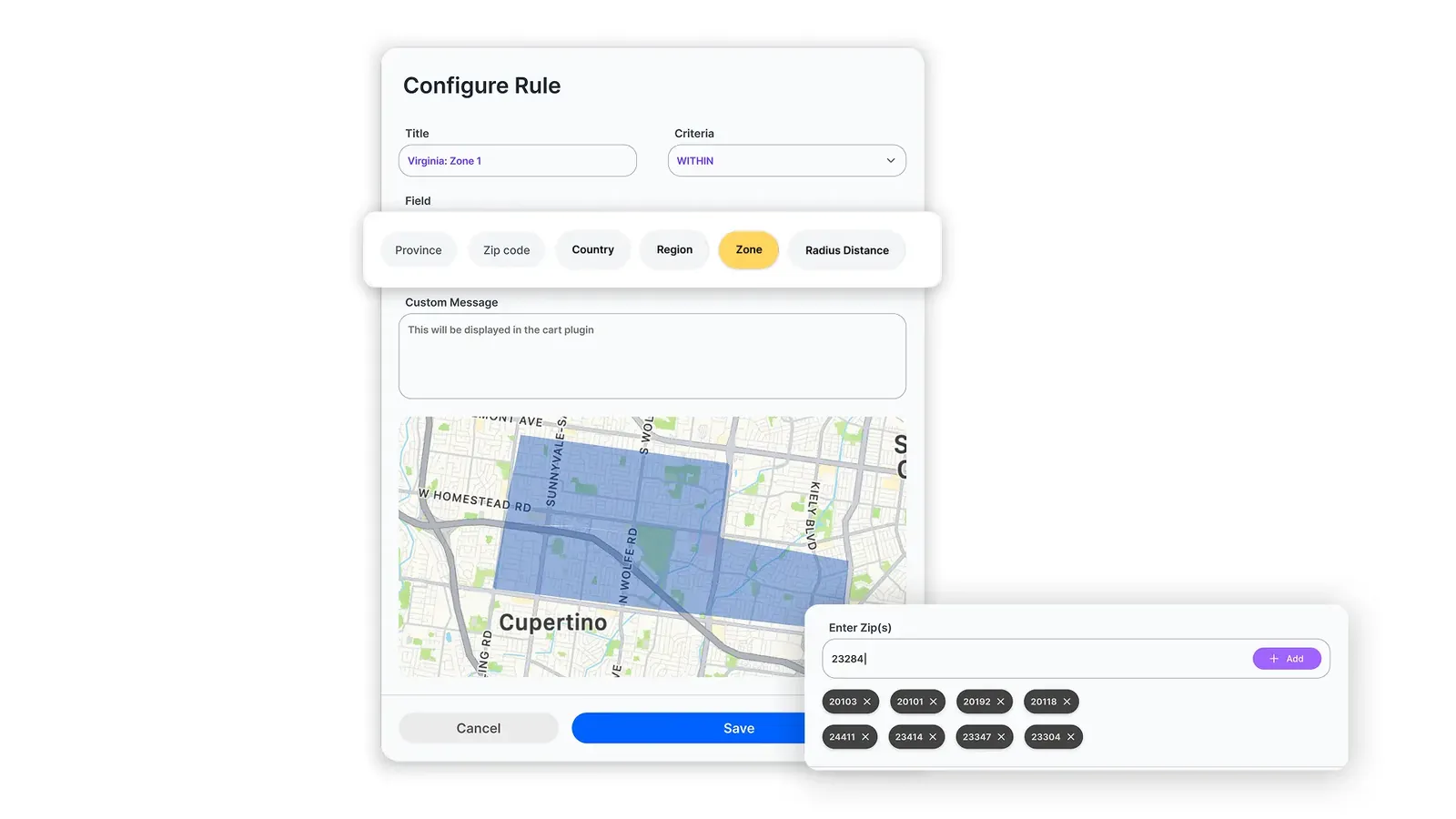
Adjust your zones for the peak days:
In ScrollEngine, you create delivery zones by ZIP code, radius or a shape drawn on a map, set delivery fees by order value or weight per zone, and control which days and slots each location offers.
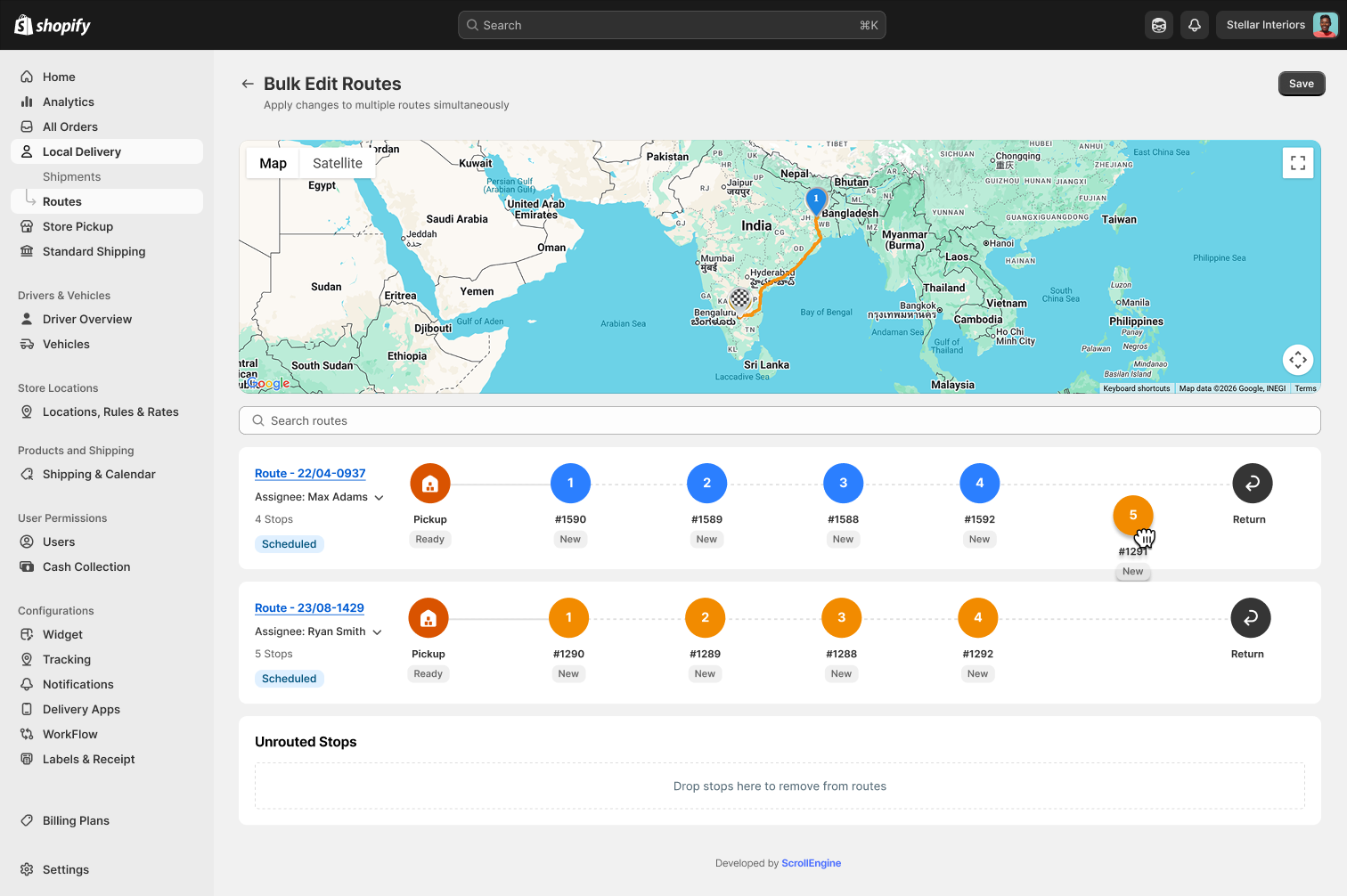
No Mother’s Day schedule stays perfect for long. Customers change pickup times. Priority orders need to move earlier. Drivers fall behind in traffic.
The challenge isn’t creating routes. It’s adapting them without disrupting the rest of the day.
If a customer asks for an earlier window, you can move the order to another route without rebuilding the whole schedule.
Customers ordering for Mother’s Day are emotionally invested. They aren’t just buying a product; they are planning a surprise or a celebration for someone they care about.
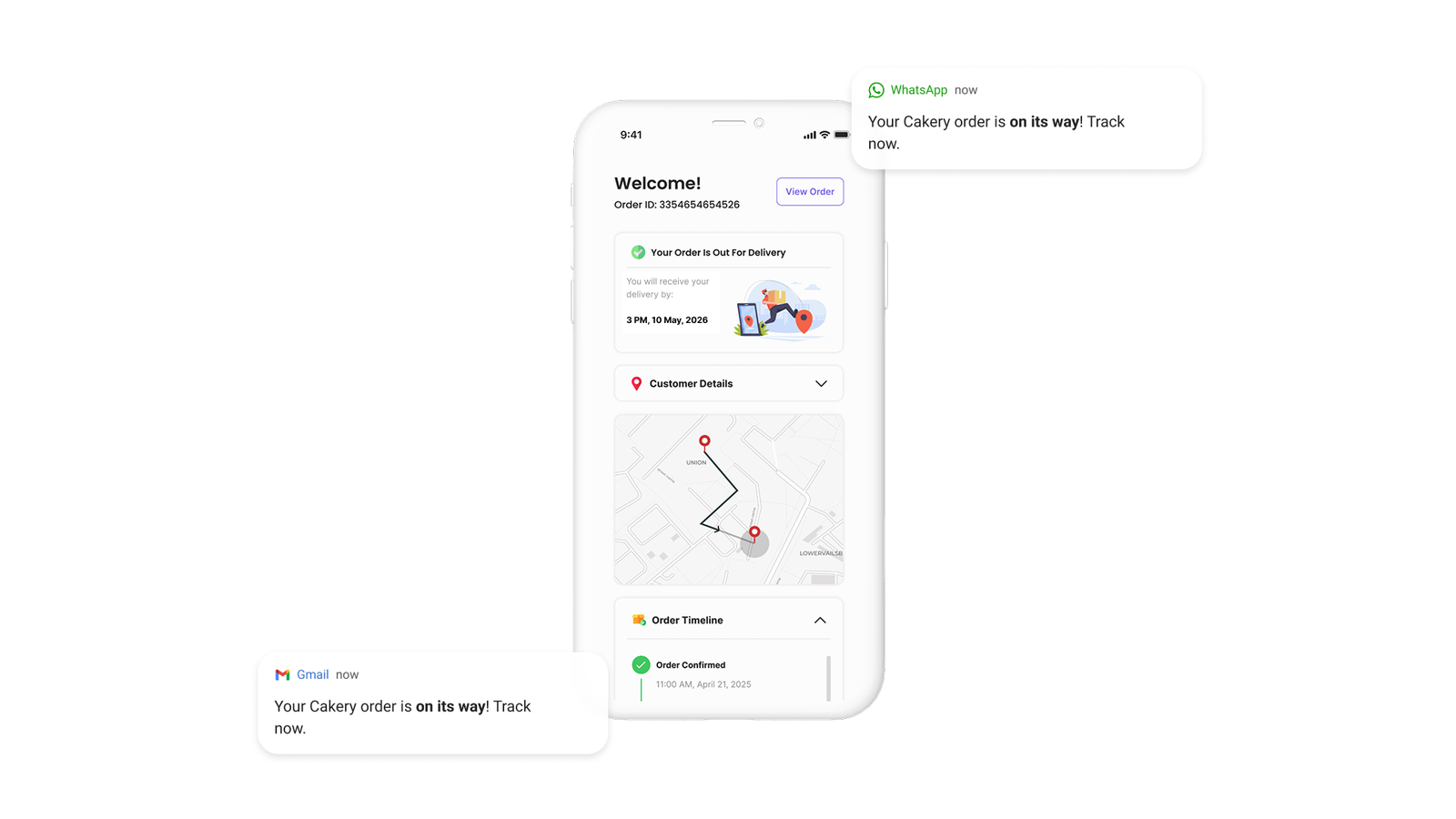
Keep them informed without making them call:
ScrollEngine sends these by email, SMS and WhatsApp, with a branded tracking page.
The stores that prepare early usually perform better. Work back from Sunday, May 9, 2027:
| When | What to do |
|---|---|
| By late March (six weeks out) | Review last year’s orders and late deliveries. Decide which days you deliver, which you offer pickup, and how many drivers and staff you need. |
| By mid-April (four weeks out) | Open your Mother’s Day dates and slots. Set daily and per-slot limits per location. Give made-to-order items, such as custom cakes, their own rules and a longer prep time. |
| By late April (two weeks out) | Tighten outer zones and same-day cutoffs for the peak days. Update in-cart messages with your last order dates. Test checkout as a customer. |
| The week of | Check bookings daily against capacity. Confirm driver shifts. Print labels and route manifests in advance. |
| The weekend | Plan routes from the booked slots, edit live routes as plans change, and let automated updates answer "where is my order?" |
| The week after | Note which slots ran late or sold out first, and set next year’s limits from them. |
For the same capacity planning from BFCM to Christmas Eve, with the key peak dates through Mother’s Day 2027, see the holiday delivery and pickup capacity guide.
| Business | Biggest Mother’s Day risk | Setting to get right |
|---|---|---|
| Florists | Fresh stems promised for a window drivers can’t reach | Per-slot delivery limits and early cutoffs for distant zones |
| Bakeries | Custom cakes booked beyond what the kitchen can make | Daily limits, prep time measured in days, and pickup slots |
| Gift shops | Surprise deliveries timed wrong, and "where is it?" calls | Delivery windows customers choose, plus live tracking updates |

On occasions like Mother’s Day, orders quickly become hard to manage without the right systems. Peak weekends reward stores that set realistic limits, open slots early and keep customers informed. And a smooth, reliable delivery on one of the year’s most important gifting days gives customers a reason to come back long after it ends.
For the full setup behind this guide, start with the Shopify guide to local delivery, pickup and scheduling. If pickup is a big part of your weekend, read how a Shopify pickup date picker improves in-store pickup.
Prepare your store before delivery slots start filling up. Explore ScrollEngine's Local Delivery + Pickup Date:S app on the Shopify App Store, with a 7-day free trial.
FAQ
In the United States, Mother’s Day 2027 is Sunday, May 9 (it always falls on the second Sunday in May). Plan delivery and pickup capacity for the days leading up to it as well as the day itself.
As soon as you know your staffing and driver numbers, ideally about four weeks ahead. Early slots let early buyers book the days you can serve, and you see the weekend filling up while there is still time to add drivers or windows.
Only for orders you can still prepare and deliver. Set a same-day cutoff from your prep time plus loading time, close distant zones earlier than nearby ones, and keep store pickup open after delivery closes for the day.
Set limits before the rush. In ScrollEngine you set a capacity for each slot and day, per store, and see remaining capacity as orders book. Base the numbers on what your kitchen, your florists and your drivers can really finish.
Yes, and it takes pressure off your drivers. Offer pickup slots with their own capacity, so pickup doesn’t compete with delivery, and send a ready-for-pickup message the moment each order is ready.
From the blog
To master BFCM deliveries, set slot limits and cutoffs weeks ahead, onboard drivers early…
Most Shopify stores need five local delivery tools: zones and rates, a date and time slot picker with limits…

To fix Shopify local delivery, find where it breaks: checkout, scheduling, routing…
Book a demo and we'll walk you through the platform set up like your stores, or request a quote for your locations and how you deliver.
2,000+ merchants trust us (as of Oct 2026)100+ merchants rate us 5.0 stars on the Shopify App Store (as of Oct 2026)