
How to Fix Shopify Local Delivery for Online Stores
To fix Shopify local delivery, find where it breaks: checkout, scheduling, routing…
Insights
Delivery scheduling lets customers book a date and time window your drivers can meet. For a local store it spreads orders across the day, gives the team prep time and turns bookings into routes, so delivery windows hold.
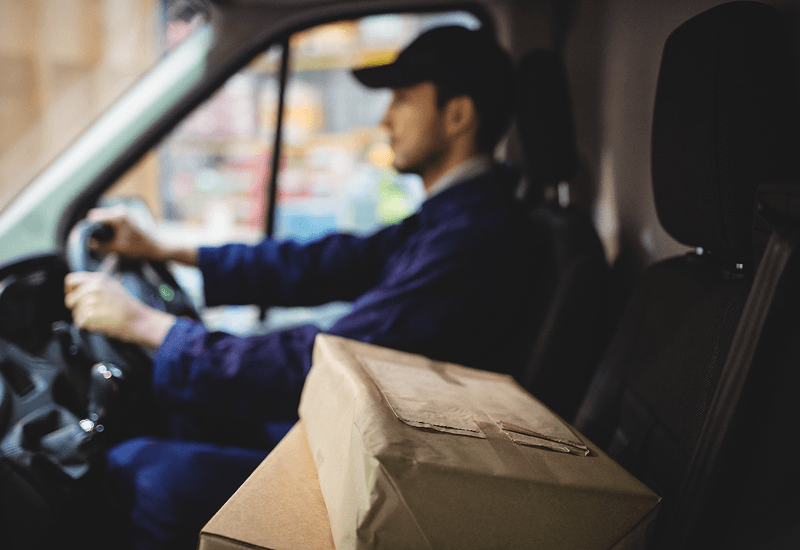
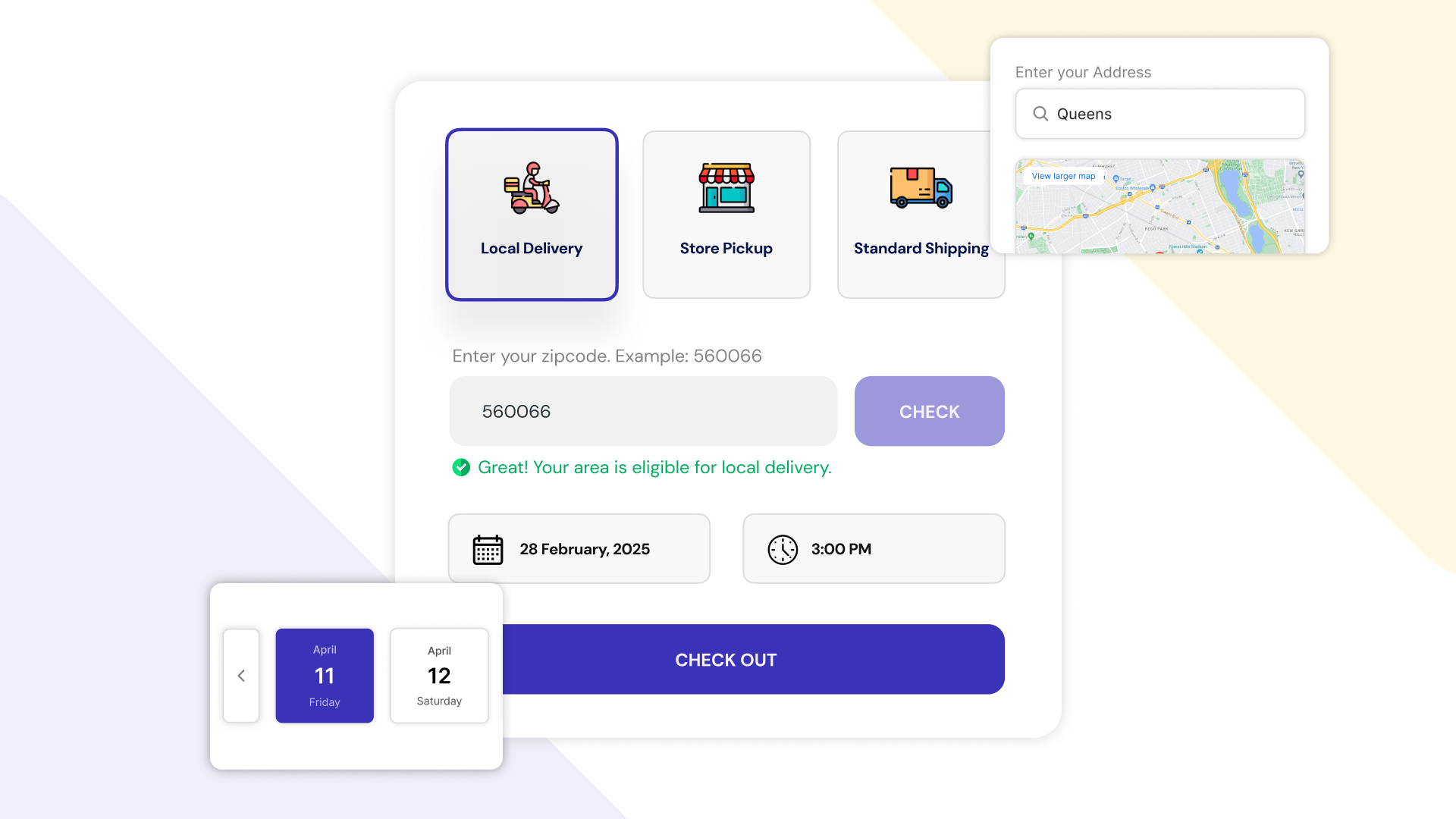
Delivery scheduling helps local stores by letting customers book a delivery date and time window that your drivers can actually meet. Instead of a pile of "deliver today" orders, you get a day that's spread across slots, a team with time to prepare, and routes built from what was booked, so delivery windows hold and customers trust them.
In local delivery, timing is everything. A few orders landing in the same hour, or a last-minute rush before closing, can turn a planned day into chaos. For a growing store, control over the delivery schedule is about reliability, efficiency and customer trust, not just convenience.
Local customers expect speed. According to AlixPartners' 2026 Home Delivery Survey, shoppers expect grocery and food orders in 0.9 days. AlixPartners, 2026 Home Delivery Survey (Jun 2026) When delivery runs without a schedule, the same problems repeat:
Lateness has a lasting cost. According to AlixPartners' 2026 Home Delivery Survey, nearly 90% of shoppers say a late delivery weakens or ends their relationship with the retailer, even after an apology. AlixPartners, 2026 Home Delivery Survey (via Mondaq) (Jun 2026)
A schedule doesn't make your drivers faster. It makes your promises match what your drivers can do.
A delivery schedule is a handful of settings per location. Get these right and most timing problems become manageable.
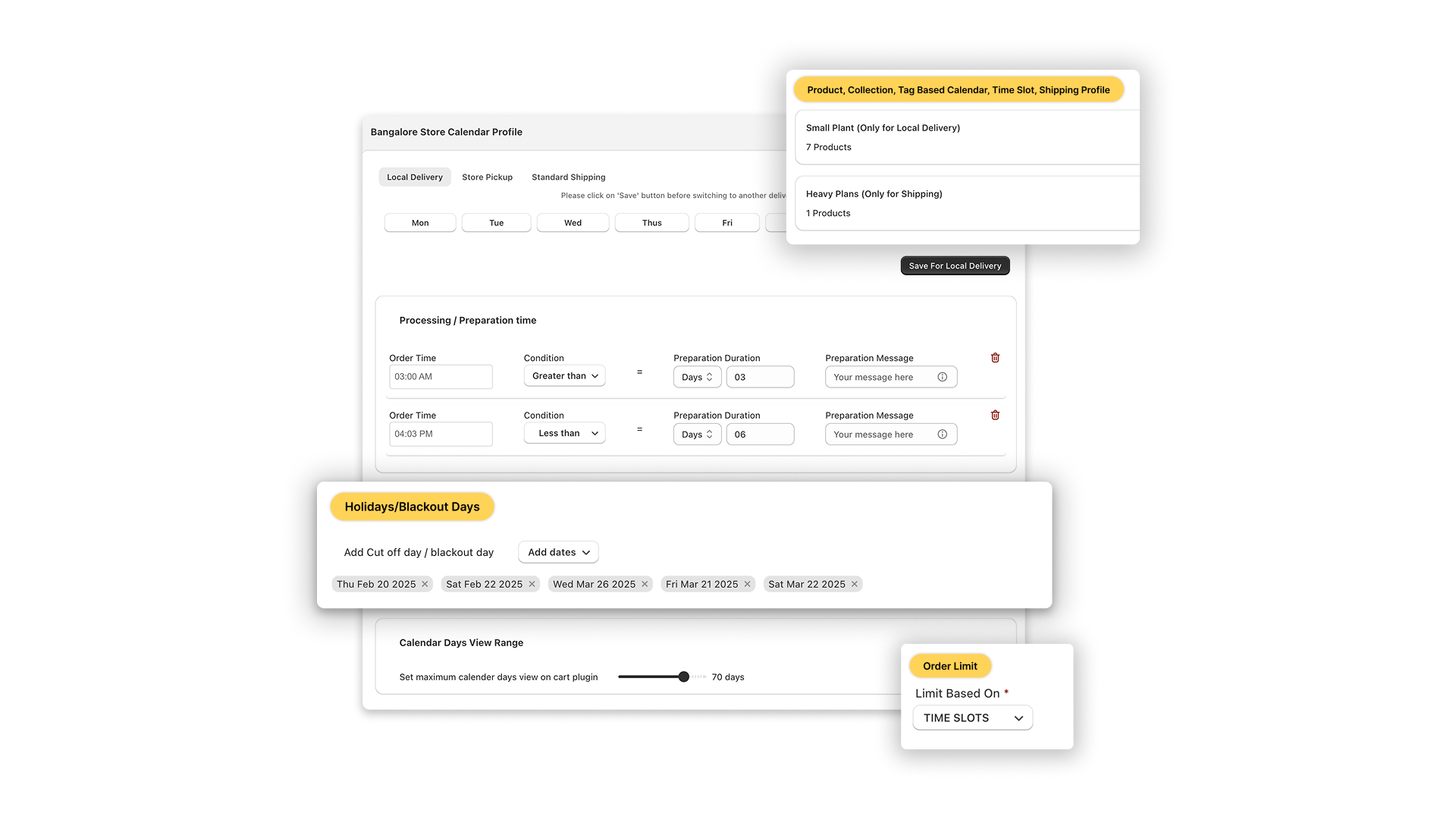
Turn on the days you deliver and add time slots to each, for example 9–11 am, 11 am–1 pm and 2–4 pm. Every day can have its own slots, so Saturday can run differently from Monday. Slots follow the location's time zone.
Prep time is the notice you need between an order and its delivery slot. If packing and loading takes two hours, a customer ordering at 10 am shouldn't see an 11 am slot.
The cutoff is the clock time after which today's slots close. Set it from your prep time plus the time it takes to load the day's routes. Orders placed after the cutoff book the next open day.
Capping each slot keeps delivery quality high on busy days. Set a capacity for each slot and day, per store, and see remaining capacity as orders book, so you don't overbook your drivers and staff.
Add the dates you're closed, such as public holidays or a stocktake day, so nothing can be booked for them. If you open on a holiday with shorter hours, set holiday hours instead of closing the day.
Some products need their own rules: fresh flowers that can't be shipped, frozen goods that must go by local delivery, oversized items you only deliver yourself. Product-level rules let those products offer only the delivery methods they allow, with their own dates and prep time, while everything else keeps your store-wide schedule. In ScrollEngine these are product-specific profiles, available depending on your plan. The Regala Inflora story shows how a florist set them up.
If you run more than one location, each one keeps its own slots, capacity and hours. For store pickup, each store can also warn the customer, or block pickup there, when it doesn't carry an item.
Good windows come from your drivers' real day, not from what competitors advertise.
For example, if one driver usually completes four stops an hour in your zone, two drivers on a two-hour window can take about 16 orders. Leave a little room below that number for the day nothing goes to plan.
A schedule only keeps its promise if the routes respect it. In ScrollEngine, the booked date and slot are saved on each order:
On Shopify Plus, the date and time picker can also sit inside checkout and hold checkout until it's filled. On every Shopify plan, customers choose in the cart, the cart drawer or on the product page. The full setup is on the delivery date picker page.
When orders arrive with a date and window already chosen:
It's not just about logistics. It's about building reliability into every delivery.
Smart scheduling isn't a luxury; it's the foundation of delivery operations that scale. If you also offer collection, read how a Shopify pickup date picker improves in-store pickup. For the full setup across delivery, pickup and scheduling, start with the Shopify guide to local delivery, pickup and scheduling, and for a peak weekend, see managing Mother's Day deliveries.
With Local Delivery + Pickup Date:S by ScrollEngine, you can plan, deliver and grow without the chaos, starting with a 7-day free trial.
Simplify your local delivery and pickup scheduling today with Local Delivery + Pickup Date:S.
FAQ
Delivery scheduling lets customers choose a delivery date and time window when they order, from slots you control. Your team then plans prep, routes and drivers around what was booked, instead of reacting to orders as they arrive.
Match the window to your delivery area. Two-hour windows suit a tight zone where a driver can reach any address quickly; a wide zone may need longer windows or fewer slots. Shorter windows are easier for customers to plan around but harder for drivers to keep.
Work it out from your drivers: the number of drivers on shift in that window, times the stops one driver usually completes in it, minus some headroom for traffic. Set that as the slot's capacity and adjust after a busy week.
Your team can. In ScrollEngine, staff change the date or slot on the order, or on a draft order, in Shopify admin, which suits phone and B2B orders too.
No. On every Shopify plan customers choose a date and slot in the cart, the cart drawer or on the product page. On Shopify Plus you can also show the date and time picker inside checkout.
From the blog
To fix Shopify local delivery, find where it breaks: checkout, scheduling, routing…
Most Shopify stores need five local delivery tools: zones and rates, a date and time slot picker with limits…
Shopify's built-in settings cover delivery zones and in-store pickup but not bookable dates…
Book a demo and we'll walk you through the platform set up like your stores, or request a quote for your locations and how you deliver.
2,000+ merchants trust us (as of Oct 2026)100+ merchants rate us 5.0 stars on the Shopify App Store (as of Oct 2026)