
Supplier disputes dropped by 98%
As published by ScrollEngine, supplier disputes dropped by 98% after Goswasthya, an organic food brand…
Customer story · Food and meals
Vendors Brooklyn, which delivers bulk meals and food to corporate offices in Brooklyn, NY, reduced pickup errors by having staff check off every item in the driver app and drivers mark each item's status during delivery.
2,000+ merchants trust us (as of Oct 2026)100+ merchants rate us 5.0 stars on the Shopify App Store (as of Oct 2026)

Vendors Brooklyn delivers bulk meals and food to corporate offices from Brooklyn, NY, and runs those deliveries on ScrollEngine alongside its Shopify store. Staff now check off every item of an order at pickup in the driver app, and drivers mark each item's status at delivery, so a missing item is caught before the order leaves and the team knows exactly what reached each client. As published by ScrollEngine, Vendors Brooklyn manages over 100 daily orders with 20% Fewer Delivery Errors and 30% Faster Order Assignment.
An office order is rarely one box. It is a list of meals, snacks, drinks and supplies that must all arrive together, and an office notices at once when something is missing. Vendors Brooklyn had built its reputation on quality, but two operational problems were hurting its efficiency and its clients' satisfaction.
Staff verified orders by hand at pickup. Manual checks were error-prone, so missing or incorrect items were sometimes delivered. The team needed a detailed checklist that staff could work through for every item, every time, before an order left.
Drivers had no easy way to update the status of individual items during a delivery. Nobody could say for sure which items had been delivered and which were still pending, and incomplete or incorrect deliveries cost client goodwill.
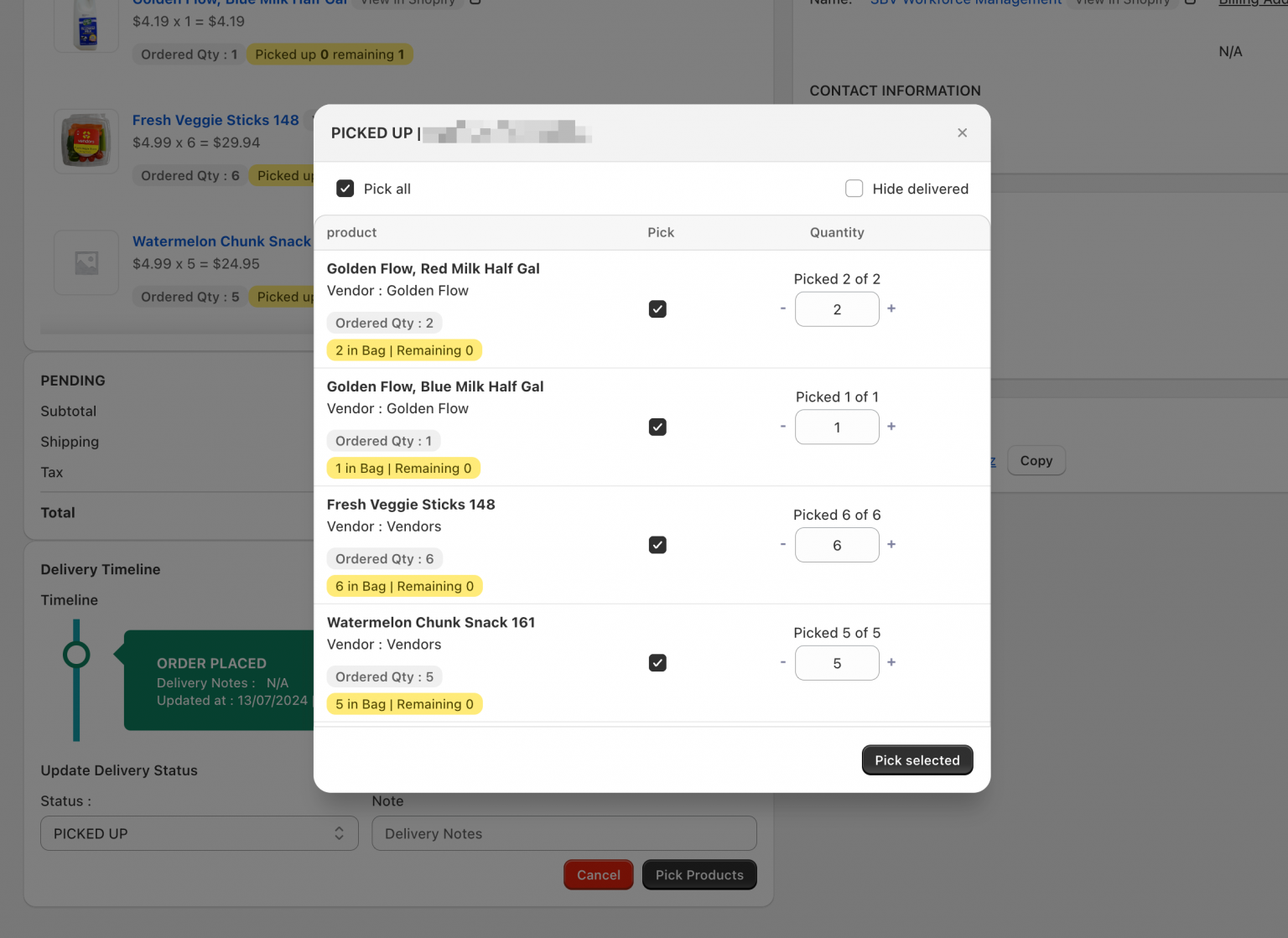
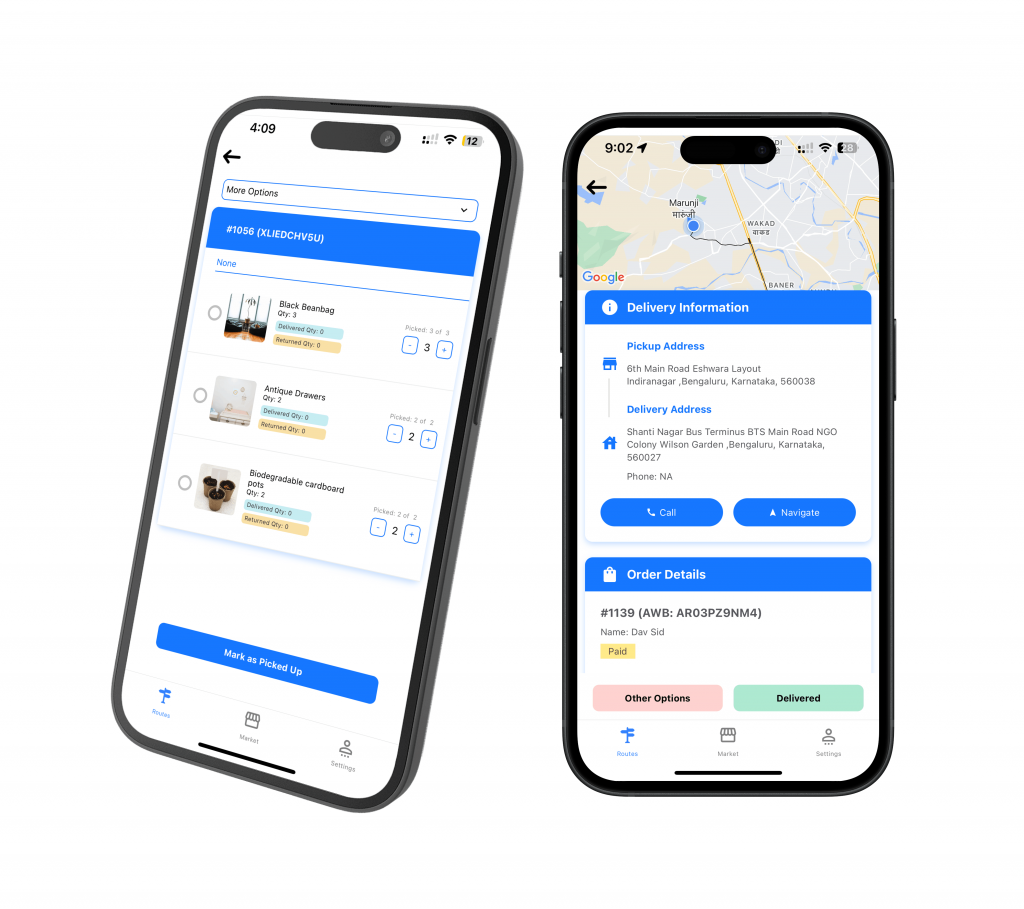
ScrollEngine manages Vendors Brooklyn's shipments at item level, so every item in an order appears separately in the driver app and has to be picked one by one. Staff mark off each item and its quantity on the pick list as they load, which means a missing item shows up on the list before the order leaves, not at the client's door.
The checklist is simple to open and quick to mark off, so the team picked it up with minimal training.
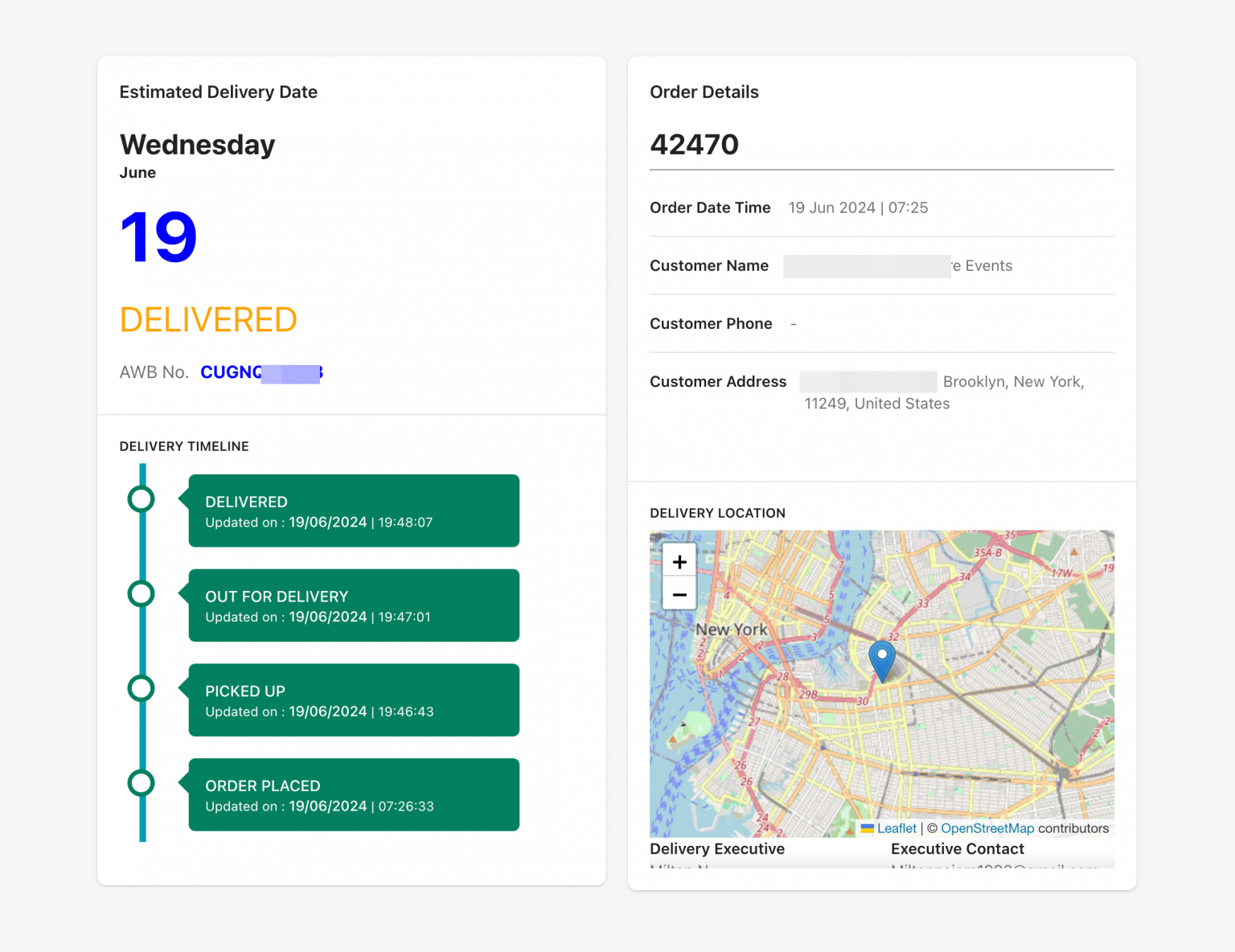
At the client's office, drivers mark the status of each item as they hand it over. Managers see each order's timeline, from order placed to delivered, with up-to-date status, and clients can follow their delivery on a branded tracking page. If something needs sorting out, drivers can call or message the client, or call the office team, straight from the app.
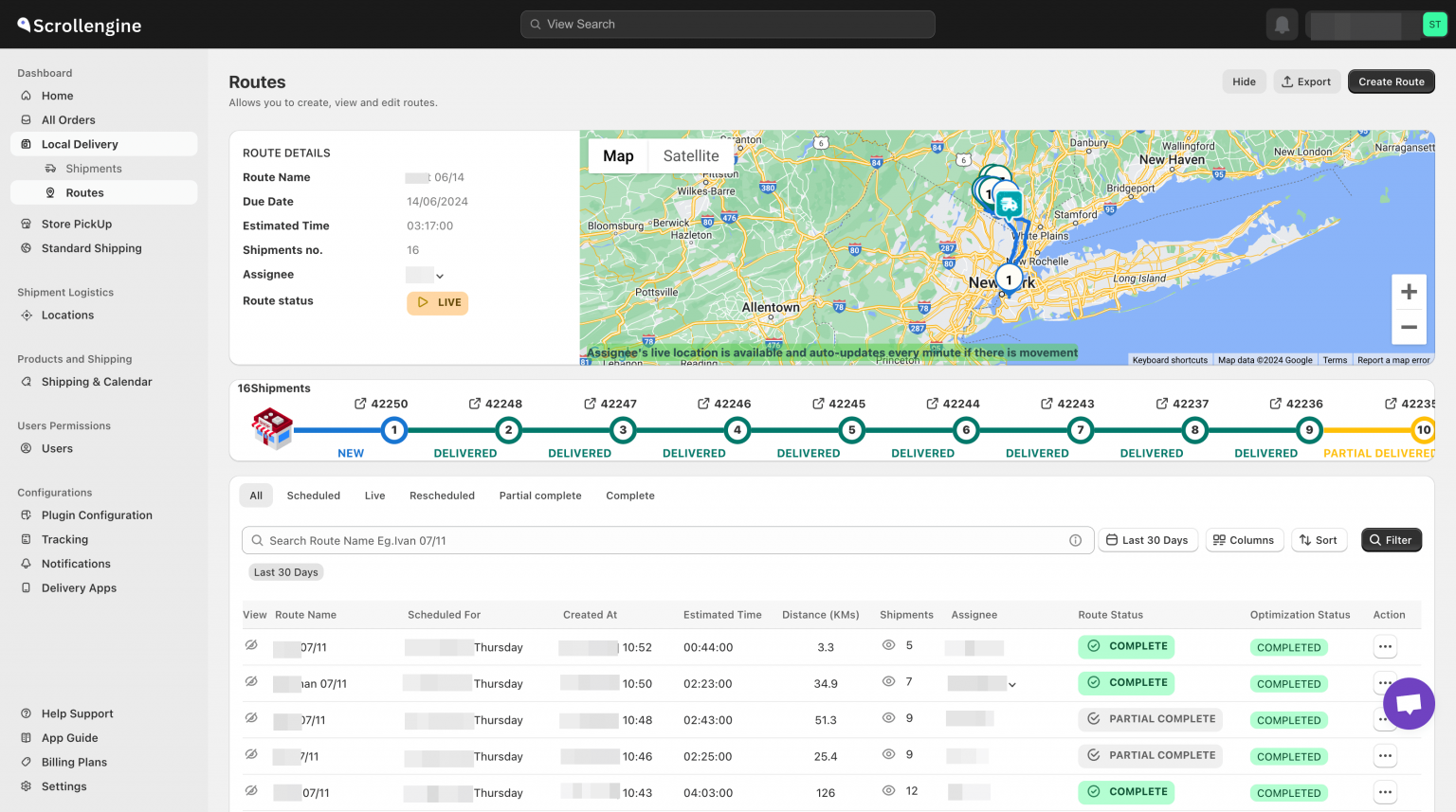
The routes dashboard puts every route on a map of the New York area, with each route's status in a table beside it. Managers see the whole day's deliveries in one place, make decisions from current information and deal with a problem as soon as it appears.
ScrollEngine fitted the new features into Vendors Brooklyn's existing process to avoid disruption, tailored the setup to its needs, and trained the staff until they were confident with it. Support stayed available afterwards to answer questions and fine-tune the setup.
As published by ScrollEngine, Vendors Brooklyn uses ScrollEngine to manage over 100 daily orders, with:
Day to day, that looks like this:
Kitchens and caterers that prepare many orders a day face the same list problem a step earlier: see how ScrollEngine simplified pickup and delivery list creation for kitchen fulfillment. For more ways to prevent failed and incomplete drops, read how to stop missed Shopify local deliveries.
Delivering to offices or other businesses? Book a demo and we'll show you item-level picking on your own orders.
Manage shipments at item level in ScrollEngine's driver app settings and turn on the pick list. Each item in an order is then listed separately in the driver app and has to be picked one by one, so a missing item shows up on the list before the order leaves.
Yes. When shipments are managed at item level, drivers update each item's status during delivery, and a partial delivery is recorded as partial. The team knows exactly which items reached the client and which are still pending.
Yes. Orders placed on the Shopify store, orders your team builds as draft orders in Shopify admin, and orders created by hand or imported from a CSV file in ScrollEngine all go through the same routes, driver app and tracking. That suits office clients who order by phone or email as well as online.
As published by ScrollEngine: over 100 daily orders managed, 20% Fewer Delivery Errors and 30% Faster Order Assignment. The baseline, period and method behind these figures were not published with them.
Each result is quoted exactly as ScrollEngine first published it on scrollengine.com. Its baseline, period and method were not published with it.
Vendor Brooklyn uses Scrollengine to manage over 100 daily orders seamlessly, reducing delivery errors and improving driver coordination.
Published on the scrollengine.com home page, as seen .
20% Fewer Delivery Errors
Published on the scrollengine.com home page, as seen .
30% Faster Order Assignment
Published on the scrollengine.com home page, as seen .
Customer stories
Supplier disputes dropped by 98%
As published by ScrollEngine, supplier disputes dropped by 98% after Goswasthya, an organic food brand…
Kitchen staff could pull meals faster and with fewer interruptions.
House of Chef James Mitchell Inc. prints one pickup list and a delivery list per driver route from ScrollEngine…
40% Faster Dispatch
“Excellent speed, customization, updates, and 100% will be the new go-to all-in-one shopify integrated courier-routing/ tracking/ customer success app.”
Request a quote for your stores, or book a demo and we'll map your locations, slots and routes with you.
2,000+ merchants trust us (as of Oct 2026)100+ merchants rate us 5.0 stars on the Shopify App Store (as of Oct 2026)