
How ScrollEngine Hit the 1,000 Shopify Delivery Milestone
In November 2025, ScrollEngine announced it could optimize 1,000 Shopify orders in one batch, across drivers…
Insights
Route optimization turns delivery planning from a morning of manual sequencing into a review, then lets dispatchers change live routes, drivers follow one ordered list, support answer fewer calls and owners measure every day.
Route optimization transforms delivery operations by turning route planning from a morning of manual sequencing into a quick review, and by giving every role a clearer job. Dispatchers manage exceptions instead of maps. Drivers follow one ordered list. Customer service answers fewer "where is my order?" calls. Owners can finally measure each day.
The plan still changes during the day. The difference is that a change becomes an edit to a route, not a rebuild of the whole schedule.
| Moment | Planning by hand | With route optimization |
|---|---|---|
| Morning planning | Someone sequences stops on a map, driver by driver | Select the day's orders and drivers, run optimization, review each route |
| Loading | Drivers sort their own stops | Each driver's stops are already in order; route manifests and labels print for loading |
| On the road | Drivers improvise around traffic | Routes are planned with traffic in mind, with live ETAs from each driver's position |
| A late order arrives | Call a driver and talk them through a detour | Add it to a live route; ETAs recalculate |
| A driver calls in sick | Rebuild the day | Reassign the route or move its stops to other drivers |
| "Where is my order?" | Call the driver, call the customer back | The customer already has a tracking link and updates |
| End of day | Paper run sheets and guesswork | Delivery history with proof of delivery, and a scorecard for every driver |
Route optimization takes the day's orders, your drivers and their limits (delivery windows, shifts, breaks, maximum route length and vehicle capacity) and returns a set of routes. In ScrollEngine, the route planner adds traffic, tolls and a distance and time preview, so the dispatcher checks the plan before anything goes out.
Once routes are running, the job shifts to exceptions:
See everything the routes and dispatch module covers.
A driver with an optimized route doesn't have to plan anything. The ScrollEngine driver app for iOS and Android shows the route and stops in order, and covers the rest of the job: picking, status updates, photo and signature proof of delivery, cash-on-delivery tracking, and calling or messaging the customer on WhatsApp.
Optimization also makes workloads more predictable. When shifts, breaks and maximum route length are part of the plan, routes are built to fit inside each driver's shift instead of running long because stops went out in the wrong order. That matters, because good drivers are hard to replace. The U.S. Bureau of Labor Statistics projects about 152,700 openings a year for delivery truck drivers and driver/sales workers over the decade, mostly to replace workers who leave. U.S. Bureau of Labor Statistics, Occupational Outlook Handbook: Delivery Truck Drivers and Driver/Sales Workers (2025)
"Where is my order?" is one of the most common questions support teams answer. DigitalGenius customer data from 2023 shows that around one in five e-commerce support queries asks "Where is my order?", rising to up to 40% at peak (vendor data). DigitalGenius, What is a normal WISMO rate (Mar 2023), vendor data
When routes are planned and tracked, customers can answer that question themselves. ScrollEngine sends a branded tracking page with driver status and a live ETA, and updates by email, SMS and WhatsApp. Arrival is detected automatically, and photo proof of delivery is included in delivery emails, which helps settle "it never arrived" claims quickly.
Hand-planned delivery is hard to measure because nothing is recorded the same way twice. With optimized routes, every day leaves a record:
Those numbers tell you where to act: a zone that always runs late, a slot that always fills first, a shift that needs another driver.
Route optimization is what lets a delivery operation grow without the planning work growing with it. In ScrollEngine:
Route optimization isn't just a faster way to draw routes. It changes who does what in a delivery team: planning becomes review, changes become edits, and every day leaves numbers you can learn from.
Book a demo to see a day planned from your own orders, or install Local Delivery + Pickup Date:S from the Shopify App Store and plan your first optimized routes.
FAQ
It replaces manual route building with a plan that respects delivery windows, shifts and vehicle capacity, so dispatchers review routes instead of drawing them. Drivers get one ordered list, routes can change after they start, customers get live updates, and managers can measure each driver and day.
Routing decides which stops go together and in what order. Dispatching assigns that work to a driver and sends it out. In ScrollEngine, dispatchers assign routes, drivers can claim open routes from a job board, and automated dispatch is in early access.
The dispatcher reassigns that driver's route to someone else, or moves the stops onto other drivers' routes. Routes stay editable after they start, and ETAs are recalculated for the stops that remain.
Yes. In ScrollEngine, location rules send each order to the right store or warehouse by ZIP code, zone, radius, region, tags or location priority, and each location plans its routes from its own start point.
A phone. Drivers use the ScrollEngine driver app on iOS or Android to see their route and stops in order, update each delivery's status, and capture photo and signature proof of delivery.
From the blog
In November 2025, ScrollEngine announced it could optimize 1,000 Shopify orders in one batch, across drivers…
Route optimization cuts fuel and delivery time for Shopify stores by putting stops in the order that takes…
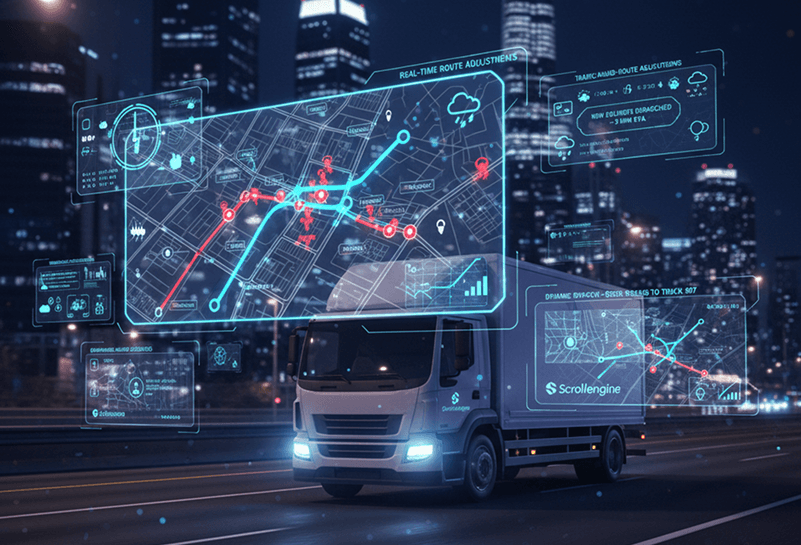
At its core, route optimization is mathematical optimization, not AI.
Book a demo and we'll walk you through the platform set up like your stores, or request a quote for your locations and how you deliver.
2,000+ merchants trust us (as of Oct 2026)100+ merchants rate us 5.0 stars on the Shopify App Store (as of Oct 2026)