The Shopify Local Delivery Tools You Actually Need
Most Shopify stores need five local delivery tools: zones and rates, a date and time slot picker with limits…
Product news
ScrollEngine Assistant, now Ask Engine (early access), answers questions like "Which shipments are running late?" from your live orders, drivers and routes. It reads your data without changing it, in the web dashboard.

ScrollEngine Assistant, now called Ask Engine, is an AI operations assistant for local delivery. You ask it questions in plain English, such as "Where are my drivers right now?" or "Which shipments are running late?", and it answers from your live orders, drivers and routes. It's in early access, it reads your data without changing it, and it runs in the standalone ScrollEngine web dashboard. Here's what it answers, how to use it, and why it's read-only by design.
Imagine running a busy store during the holiday rush. The phones keep ringing, because customers want to know when their orders will arrive. Meanwhile your drivers are out on the road, dealing with sudden traffic jams.
You need to know which shipments are running late right now. Finding that one answer can mean clicking through several screens, pulling a report and checking the driver map by hand. Every minute spent hunting for data is a minute taken away from fixing the problem.
The daily bottlenecks are familiar:
Ask Engine is built for exactly these moments: one question, one answer, with a link to the record behind it.
| Feature | Ask Engine (early access) |
|---|---|
| What it does | Answers plain-language questions about your local delivery operation |
| Where it runs | The standalone ScrollEngine web dashboard (not inside Shopify admin), alongside the live driver map |
| What it can look up | Orders, shipment timelines, driver locations and trails, late routes, delivery exceptions, the dispatch backlog, driver availability, cash-on-delivery summaries and driver performance |
| What it can change | Nothing, by design. It reads your data within your account and user permissions, so your records stay as your team left them. |
| How answers work | Each answer links to the records it came from, and conversations are saved |
| Language | English |
| AI model | A platform default or, on plans that include it, your own model key Live for OpenAI, Anthropic, Google Gemini or OpenRouter |
Ask Engine Early access uses about 20 read-only tools, each limited to your account and permissions. On the platform default model, a daily message limit applies; adding your own AI provider key lifts it.
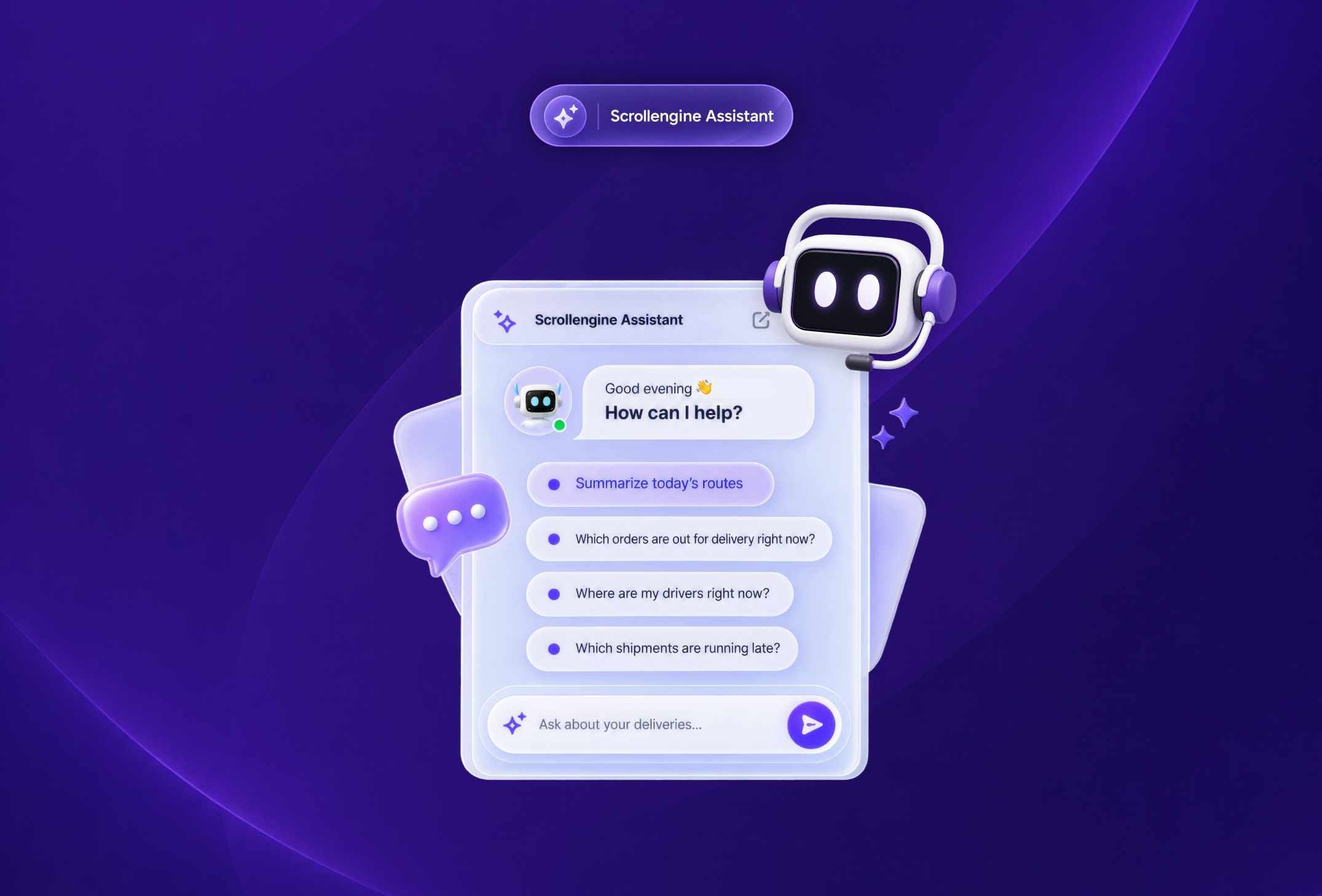
Instead of filtering order lists, ask directly. Ask Engine returns a short summary with links to each order, and you can follow up with "Show me the timeline for order 1042" to see every status change on one shipment.
Ask Engine looks up each driver's current location and recent trail, along with the route they're on. For the full picture, the live driver map Live in the same dashboard shows every driver at once.
Staying ahead of late drop-offs protects your customer relationships. Ask which routes are behind or which deliveries hit an exception, then decide what to do. Separately, at-risk alerts Live flag a delivery automatically when it gets close to its deadline, whether or not anyone asks.
Start the morning with a quick overview of the day's planned routes. Ask Engine answers the moment you ask.
Ask which drivers are available, what's waiting to be dispatched, or for a cash-on-delivery summary for the day. These are the questions a dispatcher or store manager usually answers by opening three different screens.
A store with hundreds of local drop-offs a day can check route progress during peak hours with a single question, without pausing to build a report. For a fast-delivery operation run on its own fleet, see how HomeRun keeps a 60-minute promise.
Bakeries, grocers and florists work to tight delivery windows. Asking which deliveries are running late shows problems early, while there's still time to change the stop order or reassign a delivery before goods spoil.
Merchants with several stores and pickup locations can ask about orders and shipments across all their locations in one question, instead of filtering list by list. Answers stay within the permissions of the person asking. See multi-location delivery.
Ask Engine works alongside your dashboards. It's a faster way into them for one-off questions.
| The job | Dashboards and reports | Ask Engine (early access) |
|---|---|---|
| Check one order's status | Search or filter the orders list | Ask about the order and follow the link |
| See where drivers are | The live driver map | A text answer about a driver or route, with links |
| Spot late deliveries | At-risk alerts and route status | Ask which routes or shipments are running late |
| Get numbers for finance | CSV reports with a column picker and email delivery | A quick summary, such as cash on delivery for the day |
| Get started | Learn where each screen lives | Type a question in plain English |
For anything you need to keep, share or analyze, use the reports. For "what's happening right now?", ask.
Ask Engine reads and never writes, and that's a deliberate choice. Delivery operations involve real customers, real drivers and real money, and trust in AI that acts on its own is falling. Capgemini Research Institute found that trust in fully autonomous AI agents fell from 43% to 27% in one year. Capgemini Research Institute, Rise of agentic AI: How trust is the key to human-AI collaboration (2025)
So Ask Engine looks things up and explains, and your team stays in charge of every change. It doesn't learn from your data, and it only sees what the person asking is allowed to see. Read more about how ScrollEngine uses AI.
It helps to be precise about what is and isn't AI in ScrollEngine:
We're building AI that will propose a fix and act only after you approve it. Its status is on our vision page.
Managing local delivery shouldn't mean spending hours in menus and spreadsheets. ScrollEngine's Local Delivery + Pickup Date:S brings route planning, delivery and pickup slots at checkout, and live driver tracking together, and Ask Engine (early access) lets your team ask about orders, drivers and routes in plain English.
Ready to simplify your local delivery and pickup? Try ScrollEngine's Local Delivery + Pickup Date:S on Shopify today, or book a demo to see Ask Engine answer questions in a live demo.
First published August 26, 2026.
FAQ
ScrollEngine Assistant is the AI operations assistant in ScrollEngine, now called Ask Engine. You ask questions in plain English about your orders, shipments, drivers and routes, and it answers from your live data, with links to the records. It's in early access.
Ask Engine runs in the standalone ScrollEngine web dashboard (not inside Shopify admin), alongside the live driver map and driver scorecards. Log in to the web dashboard with your ScrollEngine account and click Ask AI in the top bar to use it.
No, and that's by design. It looks things up within your account and your user permissions and never changes orders, routes, drivers or settings, so nothing happens without your team. You act on its answers yourself, in the dashboard.
No. Your store data isn't used to train or adapt it. Each answer comes from read-only tools that look up your live orders, drivers and routes, limited to your account and permissions.
It uses a platform default model or, on plans that include it, your own key for OpenAI, Anthropic, Google Gemini or OpenRouter. On the platform default, a daily message limit applies; adding your own provider key lifts it.
From the blog
Most Shopify stores need five local delivery tools: zones and rates, a date and time slot picker with limits…
ScrollEngine, our app, does the whole job in one app: delivery slots at checkout…
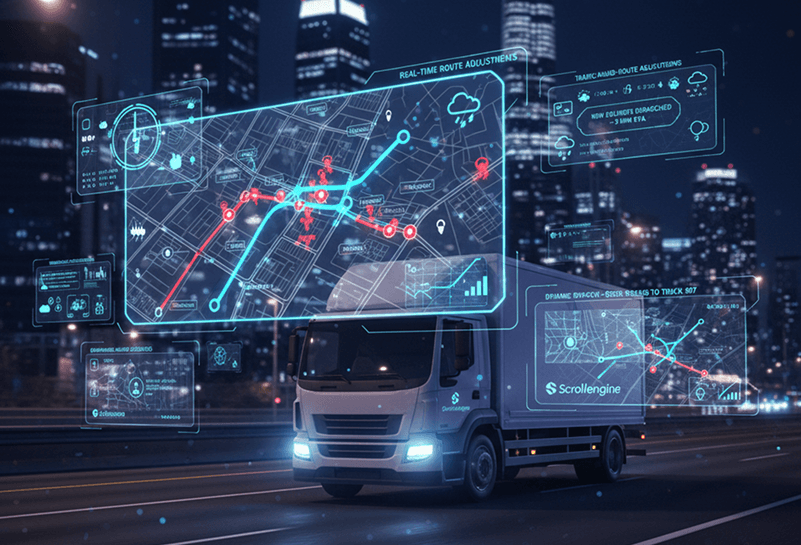
At its core, route optimization is mathematical optimization, not AI.
Book a demo and we'll walk you through the platform set up like your stores, or request a quote for your locations and how you deliver.
2,000+ merchants trust us (as of Oct 2026)100+ merchants rate us 5.0 stars on the Shopify App Store (as of Oct 2026)