5 Shopify Local Delivery and Pickup Apps Compared
ScrollEngine, our app, covers delivery and pickup slots, routes, a driver app and tracking in one app.
Insights
Shopify local delivery apps come in five types: time pickers, zone tools, route planners, courier integrations and all-in-one platforms. Stores that deliver or offer pickup locally save the most work with an all-in-one platform.
ScrollEngine is our product, and one of the all-in-one platforms in this guide; Shopify details were checked on Shopify's own pages on October 2, 2026.
A local delivery app on Shopify does one of five jobs: it lets customers choose when (a delivery time picker), controls where and at what price you deliver (zones and rates), plans how orders reach the door (routing and drivers), hands the delivery to a courier, or does all of it in one platform. Most stores start with one of these and soon need two or three. The right choice is the one that fixes where your orders go wrong today and still fits when you add drivers or stores. For a named, dated comparison of apps, see our Shopify local delivery and pickup apps compared.
Getting it right matters. According to AlixPartners' 2026 Home Delivery Survey, 52% of shoppers will stop buying from a retailer after just one or two missed deliveries. AlixPartners, 2026 Home Delivery Survey (Jun 2026) For time-sensitive goods the bar is higher still. According to AlixPartners' 2026 Home Delivery Survey, shoppers expect grocery and food orders in 0.9 days. AlixPartners, 2026 Home Delivery Survey (Jun 2026)
Before you add an app, know what Shopify's built-in settings cover (Shopify Help Center, checked October 2, 2026):
What the Help Center pages don't describe: customers booking a delivery or pickup date and time slot, or a limit on how many orders each slot takes. That gap is the most common reason merchants install a local delivery app.
These apps let customers choose a date, a time window or a pickup slot, usually in the cart or on the product page.
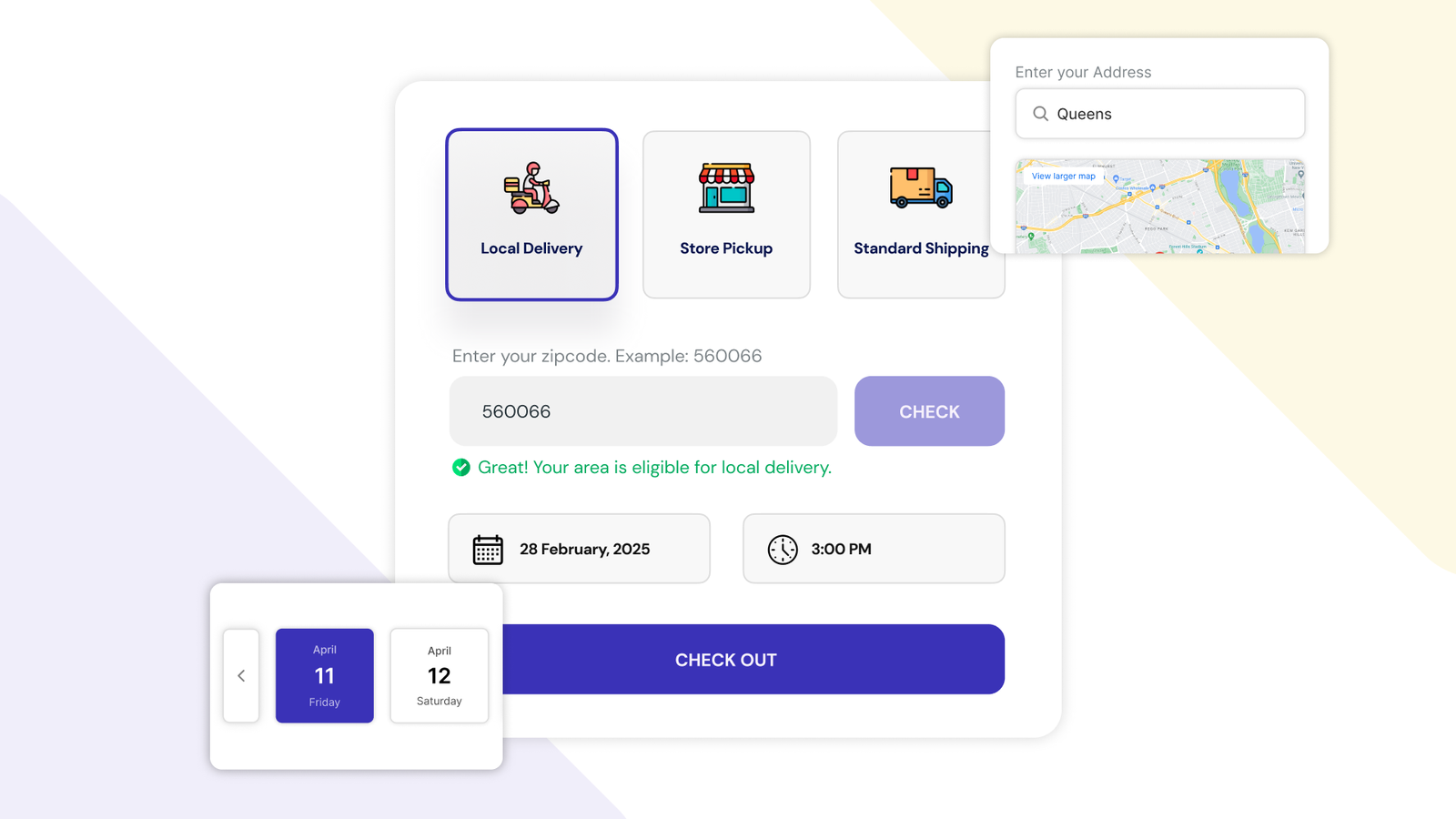
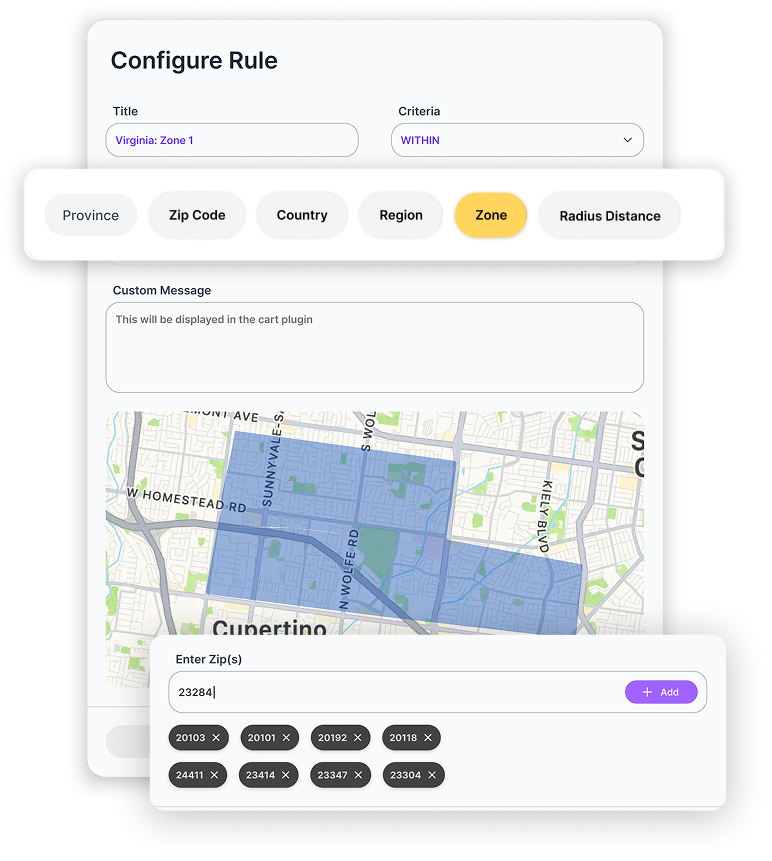
These apps manage where you deliver and what you charge, beyond Shopify's zones: drawn areas on a map, rates by order value or weight, and an address check before the customer reaches checkout.
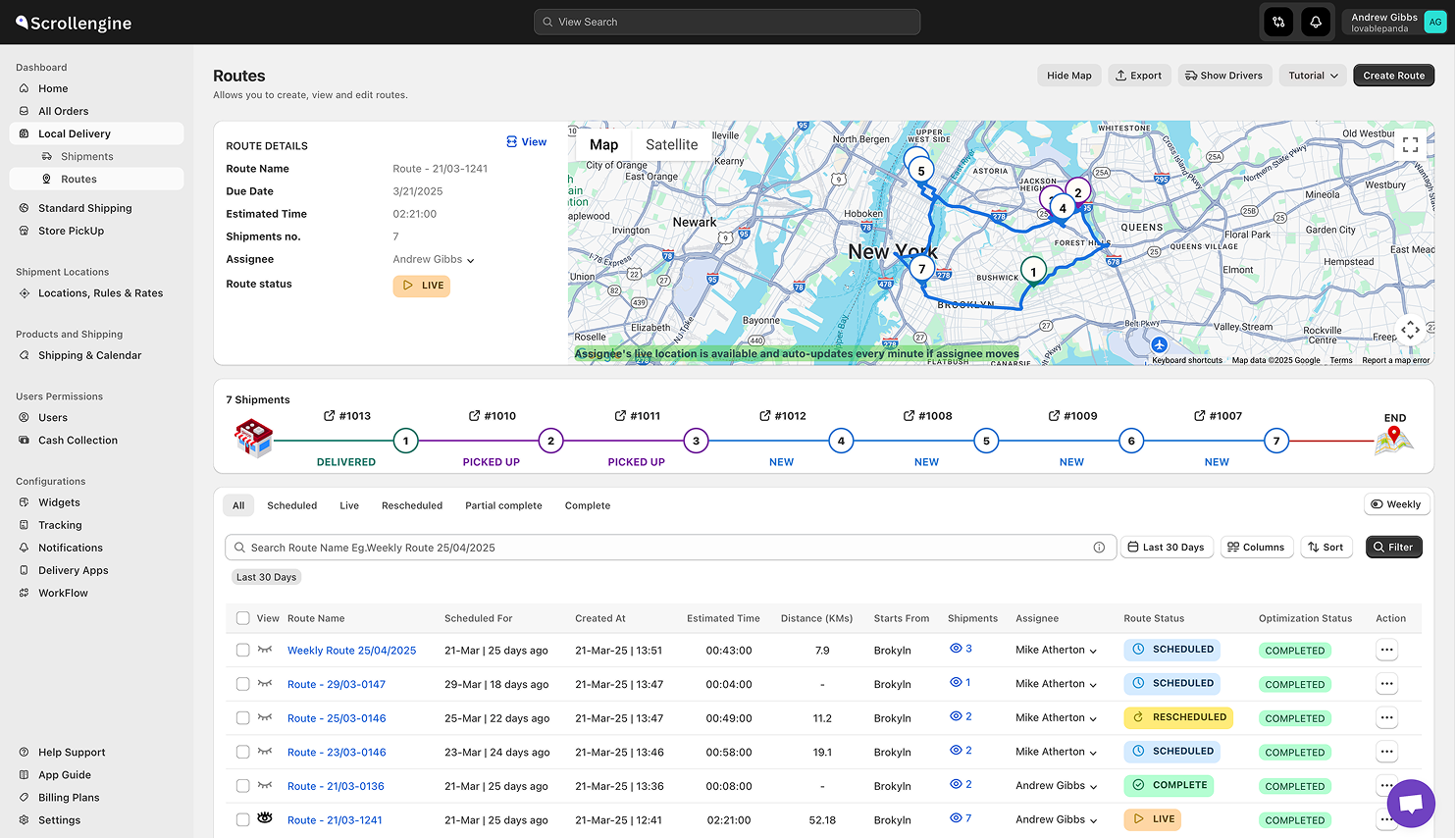
Routing apps take over after the order: they plan routes across your drivers, send them to a driver app, and capture proof of delivery.
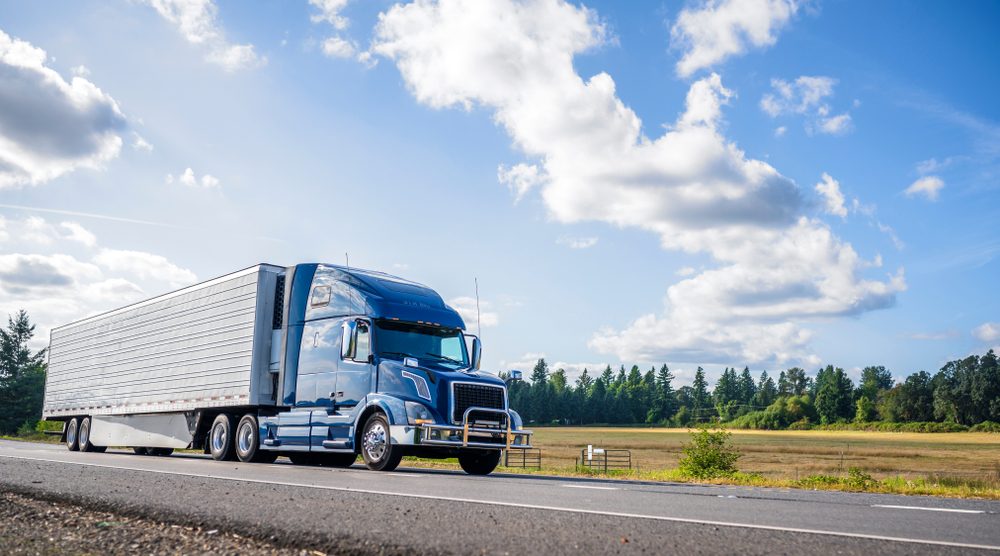
These apps connect your store to courier networks, so someone else's drivers deliver your orders.
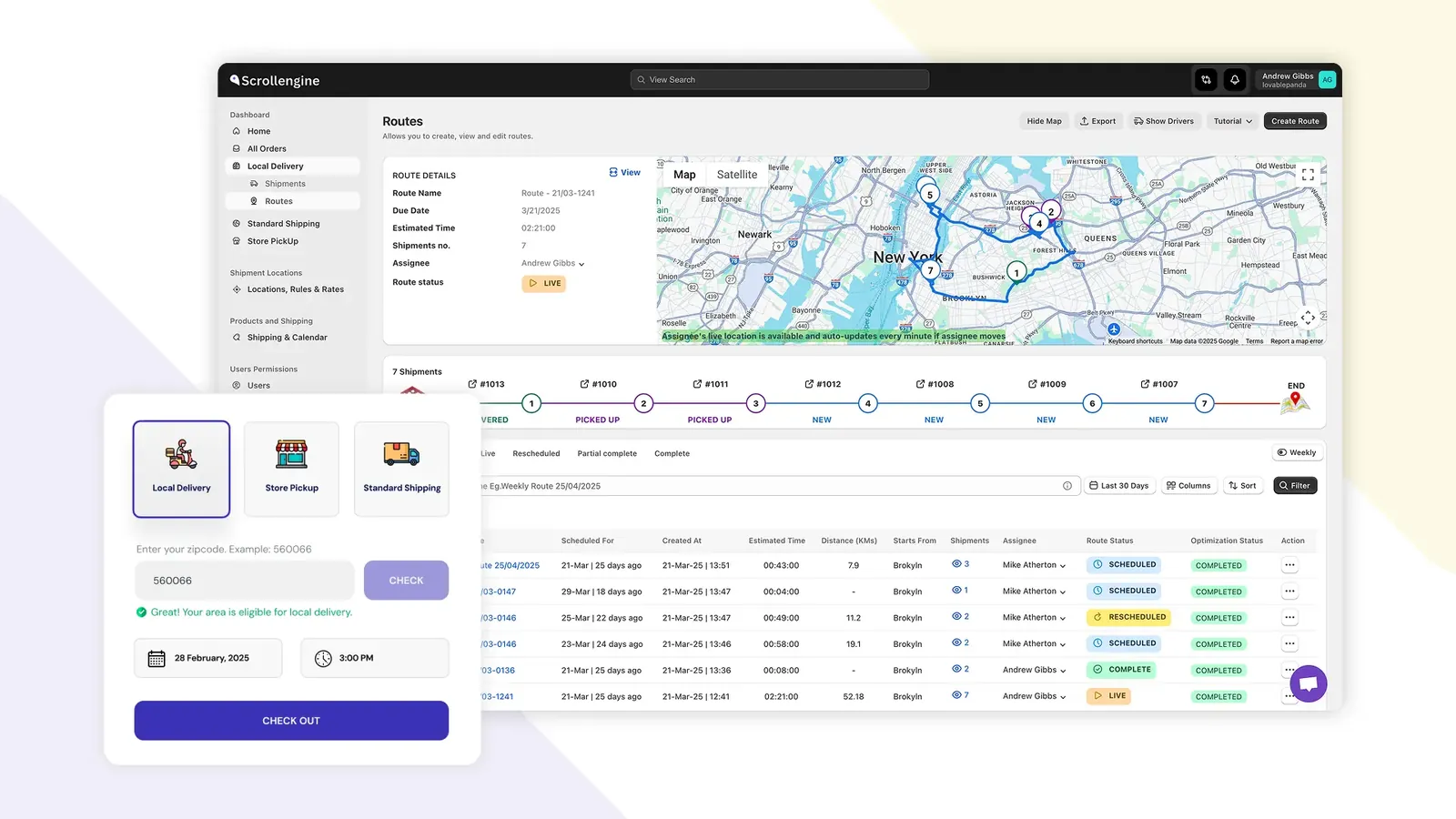
These platforms cover the whole job in one app: the picker and zones at checkout, routes and a driver app after the order, and tracking and messages for the customer.
ScrollEngine's Local Delivery + Pickup Date:S is one of these, built for stores that deliver locally and offer pickup. Customers book delivery or pickup slots with a capacity per slot and per day; location rules send each order to the right store; routes are optimized across your drivers; drivers use the ScrollEngine mobile app for their stops and photo or signature proof; and customers get a tracking link and email, SMS or WhatsApp updates. You set it up inside Shopify admin, and managers also get a web dashboard with a live map of every driver, alerts when a delivery is at risk of running late, and a scorecard for each driver. See local delivery for the full flow.
2,000+ merchants trust us (as of Oct 2026), and 100+ merchants rate us 5.0 stars on the Shopify App Store (as of Oct 2026). Serving merchants since 2021.
Match the problem you see most often to the app type that fixes it:
| The problem you see | App type that fixes it |
|---|---|
| "When will it arrive?" messages; too many orders on one day | Delivery time picker |
| Orders from addresses you can't reach; fees that don't match distance | Coverage and zone tool |
| Mornings lost to planning; drivers zig-zagging; "it never arrived" disputes | Route planner and driver app |
| Not enough orders to keep a driver busy | Courier integration |
| Several of the above, or several stores | All-in-one platform, such as ScrollEngine |
Prices aren't comparable until you put them on the same footing. You'll meet three models:
Then add two things: the cost of a second app if one tool doesn't cover both scheduling and routing, and running costs outside the plan, such as map and address lookups, SMS and WhatsApp messages, and courier fees per delivery.
The answers turn into a feature list fast. Our checklist of the Shopify local delivery tools you actually need covers each one in detail.
If you deliver locally or offer store pickup, an all-in-one platform saves the most work, and the case gets stronger with each driver and location you add:
That is what ScrollEngine is built for. If you're weighing one app against two, read why one app beats two. Comparing specific apps? See Zapiet vs ScrollEngine, EasyRoutes vs ScrollEngine and Pickeasy vs ScrollEngine. Paid plans start with a free trial of 7 days, so you can test it on your own store first.
👉 Try ScrollEngine’s Local Delivery + Pickup Date:S on the Shopify App Store today.
FAQ
An app from the Shopify App Store that adds what Shopify's built-in local delivery doesn't: bookable delivery dates and time slots, more flexible zones and rates, route planning, a driver app, tracking for customers, or a hand-off to a courier. Some apps do one of these jobs; all-in-one platforms do most of them.
Not to start. Shopify's built-in local delivery lets you set up to 10 zones per location by postal code or distance, with a delivery price and a minimum order, and Shopify's free Local Delivery app helps drivers with routes and status updates. You need an app once customers must choose a delivery date or time, you run several drivers or stores, or you need proof of delivery.
It depends on the pricing model. Scheduling apps usually charge a monthly plan with caps on orders and locations, and some have a free plan for very low volume. Route planners often charge per driver seat or by monthly order volume. Price each app at your busiest month, add the cost of a second app if one tool doesn't cover both scheduling and routing, and ask whether map lookups, SMS messages and courier fees are included or billed separately. ScrollEngine's paid plans start with a free trial of 7 days.
Yes. Most scheduling apps offer both delivery and pickup slots, and all-in-one platforms such as ScrollEngine add routes, a driver app and tracking for the deliveries. Running both from one app means one set of locations, hours and slot limits instead of two to keep in sync, and every order goes to the right store through the same location rules.
Your own drivers give you control of timing, presentation and proof of delivery, and suit regular volume in a defined area; you then need routing and a driver app. Couriers suit low or unpredictable volume and wide areas, at a per-delivery fee and with less control over the experience. ScrollEngine is built for stores that run their own drivers, and its checkout slots, zones and store pickup are useful whichever way you deliver.
From the blog
ScrollEngine, our app, covers delivery and pickup slots, routes, a driver app and tracking in one app.
Most Shopify stores need five local delivery tools: zones and rates, a date and time slot picker with limits…
For stores that deliver locally or offer pickup, ScrollEngine, our app, puts slots, pickup, routes…
Book a demo and we'll walk you through the platform set up like your stores, or request a quote for your locations and how you deliver.
2,000+ merchants trust us (as of Oct 2026)100+ merchants rate us 5.0 stars on the Shopify App Store (as of Oct 2026)